One night. Two stars. · Be my Halloween duo?
Halloween Duo Costume Invitation
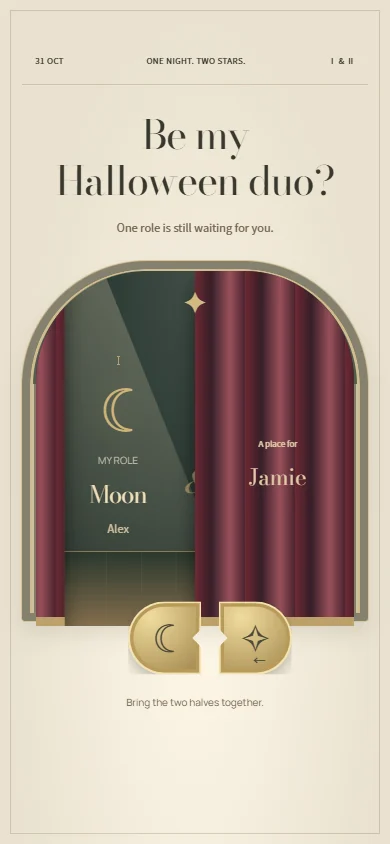
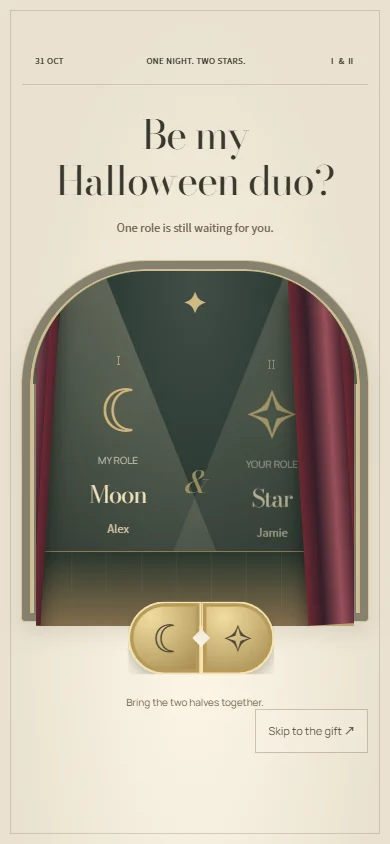
One role is still waiting for you.
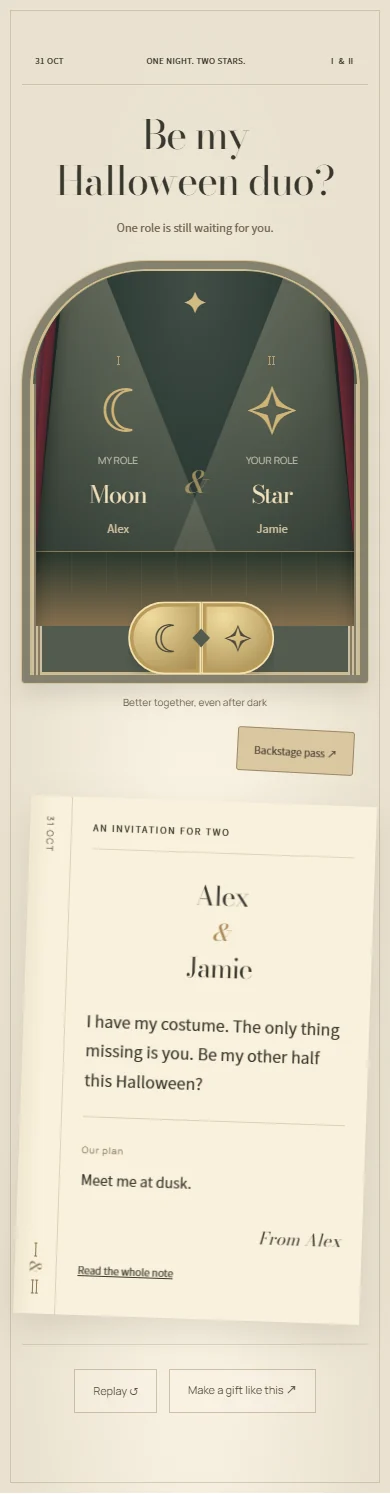
I have my costume. The only thing missing is you. Be my other half this Halloween?
A Halloween gift with a story
A Halloween duo costume invitation made for two
Ask someone to be the other half of your Halloween costume with an invitation that gives them a role to reveal. Two halves of a charm come together, a curtain rises, and your costume pairing and plan appear in a playbill for two. This Halloween invitation template makes the question personal before the practical planning starts.
Who to make it for
Use it for a couples costume invitation, a best-friend duo, or a playful way to ask your crush to dress up with you. You do not have to be a couple to be a duo. Choose roles you would both enjoy, and leave room to change the idea together.
How to make and send your Halloween surprise
- Add both names, a photo, and your two costume roles: Moon and Star, witch and cat, or your own pairing.
- Write the invitation and your plan for the evening. Include where to meet or what you want to do together.
- Preview the charm and curtain reveal, publish the invitation, and send the link with a simple invitation to reply in chat.
Halloween message ideas to make your own
Start with one of these notes, then add a name, an inside joke, or a plan that belongs to the two of you.
One witch, one very opinionated cat. I have a costume idea, but the night only works if you are in it. Be my Halloween duo?
You bring the stars; I will bring the moon. Matching costumes, our usual playlist, and a Halloween night made for two.
Before you send it
- Can I use this invitation for friends rather than couples?
- Yes. You write both roles and the plan, so it works for best friends, partners, or a crush. Choose a costume pairing and tone that fit your relationship.
- Does this Halloween invitation collect RSVPs?
- It reveals your personal invitation and plans; it is not an event guest list or RSVP manager. Ask the recipient to reply through the chat or email where you send the link.
- Is making a Halloween card free?
- You can try the preview and edit the text before paying. Sign in to upload photos, save a draft, or publish. Publishing a new card requires a paid single-card unlock or publishing credits; the pricing page explains both options.
- How does the recipient open the gift?
- Publish your finished card, copy its link, and send it by text, email, or your usual chat app. The recipient opens it in a browser without an account or app installation. Anyone with the link can view it, so share it with care.